
Links to B&H and other dealers in a story may earn T-Stop a commission at no cost to the reader.
Z CAM adds in‑camera ProRes RAW to the E2‑F6 Pro with firmware 0.9.10
Firmware 0.9.10 lets the Z CAM E2‑F6 Pro record Apple ProRes RAW internally up to 6K 60fps, with HQ and SQ encoder options.
Key points
- Z CAM released firmware 0.9.10 that adds internal Apple ProRes RAW recording to the E2‑F6 Pro.
- The E2‑F6 Pro can now capture ProRes RAW in‑camera at up to 6K 60fps, including HQ and SQ codecs.
- Z CAM currently does not support external RAW over HDMI on the E2‑F6 Pro, so internal capture is the only RAW path.
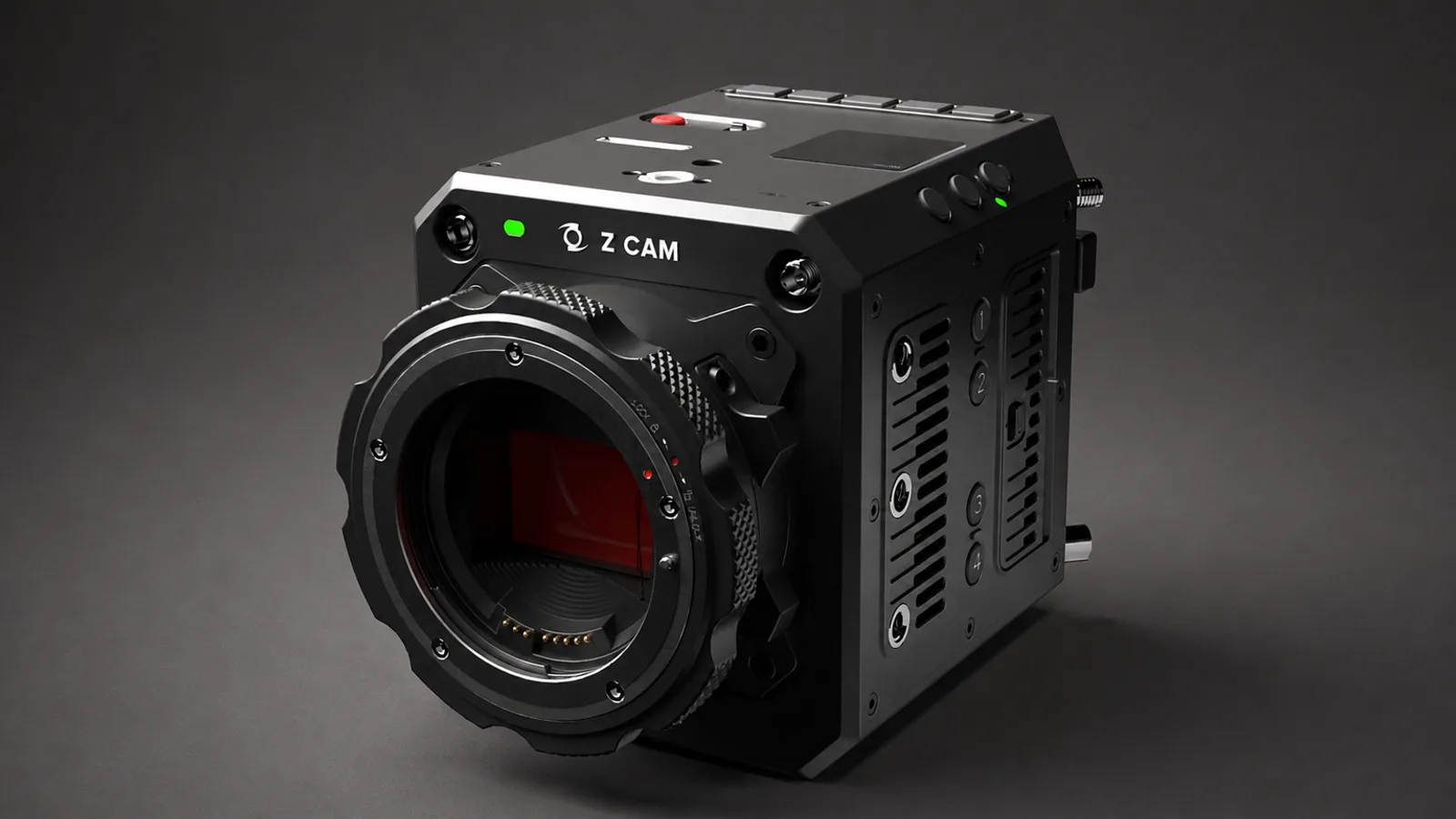
Z CAM has published firmware 0.9.10 for the E2‑F6 Pro that brings internal Apple ProRes RAW recording to the camera. The update introduces in‑body RAW capture for the full‑frame cinema model, adding ProRes RAW HQ and ProRes RAW SQ as selectable encoders alongside existing ProRes 422 flavors.
With the new firmware the E2‑F6 Pro can record ProRes RAW in‑camera at up to 6K 60fps. That extends the camera’s native recording capabilities and offers a compressed RAW option inside the body rather than relying on an external recorder for RAW workflows.
ProRes RAW itself is not new to Z CAM’s E2 family: earlier E2 models used external recorders to achieve a RAW pipeline. Those earlier cameras obtained 12‑bit ProRes RAW over HDMI through Atomos recorders, but the E2‑F6 Pro’s 0.9.10 release puts Apple ProRes RAW capture inside the camera at high resolution and frame rates.
Z CAM lists ProRes RAW HQ and ProRes RAW SQ on the E2‑F6 Pro product page as video encoders, next to ProRes 422 Proxy, 422 LT, 422 and 422 HQ. At the same time, Z CAM’s product information states that RAW over HDMI external recording is not yet supported on this model, which means internal recording is presently the camera’s only RAW option.
The E2‑F6 Pro is built around a full‑frame CMOS sensor measuring 37.09 x 24.75mm / 1.46 x 0.97in, with 26 megapixels effective. Z CAM specifies up to 15 stops of dynamic range and lists dual native ISO values of 400 and 2500, figures the company highlights when describing the camera’s imaging performance.
Physically the camera ships with a Canon EF mount as standard, and buyers can opt for M, MFT, PL or LPL mounts. The body records to CFast 2.0 media or Z CAM’s ZBlade cards. ZBlade cards are manufactured for Z CAM by Exascend and are available in 1TB, 2TB and 4TB capacities priced at $299, $499 and $1,099 respectively.
Outputs include 12G‑SDI and HDMI, and the camera supports genlock. The E2‑F6 Pro is powered through a V‑Mount battery plate and uses a 1000‑nit, 1920 x 1080 touchscreen monitor that attaches to the body. Weight is 1.39kg / 3.06lb with the Canon EF mount, and the package tips the scales at 1.68kg / 3.70lb with the monitor attached.
Z CAM updates the E2‑F6 Pro via the camera’s built‑in web client. According to the company’s support guidance, users connect the camera over Ethernet, set the ETH Mode to Direct, then start the upgrade from the web interface under Settings > Maintenance > Others > Upgrade. Z CAM also recommends a stable power supply while the firmware is being installed.
The company provides firmware 0.9.10 as a free download from its resources page, and Z CAM has not mentioned a separate license for the RAW feature. The firm positions the update as offering greater latitude in post and a more streamlined professional workflow by putting Apple ProRes RAW capture inside the chassis.
For shooters who have relied on Atomos recorders to capture ProRes RAW from older E2 models, the change alters the equipment chain for projects where compressed RAW is sufficient. That said, Z CAM’s product page makes clear that external RAW over HDMI is not yet an option on the E2‑F6 Pro, so users who need RAW output via HDMI will need to keep an eye on future firmware or hardware developments.
The E2‑F6 Pro offers a set of professional features beyond RAW capture. It supports genlock for multi‑camera rigs, offers both 12G‑SDI and HDMI video outputs, and is compatible with multiple mounts for lens flexibility. Recording media choices and a high‑brightness touchscreen aim to make the camera practical on location and in studio contexts.
If you plan to install the firmware, follow Z CAM’s recommended procedure: connect the camera by Ethernet, set ETH Mode to Direct, run the update through Settings > Maintenance > Others > Upgrade in the built‑in web client, and keep the camera on a stable power source while the update completes. Firmware 0.9.10 is available now as a free download from Z CAM.
For reference, B&H lists the Z CAM E2‑F6 Pro with Canon EF mount and the touchscreen monitor at $4,299.
The update shifts the E2‑F6 Pro’s RAW workflow from being dependent on an external recorder to being handled internally, while leaving open the possibility that external RAW output could arrive later. For productions that prefer in‑camera ProRes RAW capture, the 0.9.10 release is the first step toward that workflow on Z CAM’s full‑frame cinema model.
Specs
| Firmware | 0.9.10 |
|---|---|
| Max RAW recording | 6K 60fps |
| Sensor | 37.09 x 24.75mm / 1.46 x 0.97in full‑frame CMOS |
| Effective pixels | 26 megapixels effective |
| Dynamic range | up to 15 stops |
| Dual native ISO | 400 and 2500 |
| Media | CFast 2.0 or ZBlade (1TB, 2TB, 4TB) |
| ZBlade prices | $299, $499, $1,099 |
| Outputs | 12G‑SDI and HDMI |
| Monitor | 1000‑nit, 1920 x 1080 touchscreen |
| Weight | 1.39kg / 3.06lb (EF); 1.68kg / 3.70lb (with monitor) |
FAQ
- How do I install firmware 0.9.10 on the E2‑F6 Pro?
- Use the camera’s built‑in web client: connect the camera over Ethernet, set ETH Mode to Direct, then run the upgrade from Settings > Maintenance > Others > Upgrade. Z CAM recommends a stable power supply during the process and provides firmware 0.9.10 as a free download from Z CAM.
- Can the E2‑F6 Pro send RAW out over HDMI to an external recorder?
- Z CAM’s product information states that RAW over HDMI external recording is not yet supported on the E2‑F6 Pro, so internal recording is currently the only RAW path.
- Is ProRes RAW new to Z CAM E2 cameras?
- No. Earlier E2 models gained 12‑bit ProRes RAW over HDMI through Atomos recorders, but firmware 0.9.10 brings in‑body Apple ProRes RAW recording to the E2‑F6 Pro.
Using or buying gear in the GCC? Read our GCC guide